Introducing the New ShakeNet Mobile App
October 27th, 2026
by: Giuseppe Petricca
We’ve just released a major update to the ShakeNet app, the mobile companion to the world’s largest citizen seismograph network, and we’re excited to finally share it with you.
The earthquakes, stations and real-time data are all still there. What’s different is how the app looks and feels, plus a few new capabilities we think you’ll like.
A cleaner look
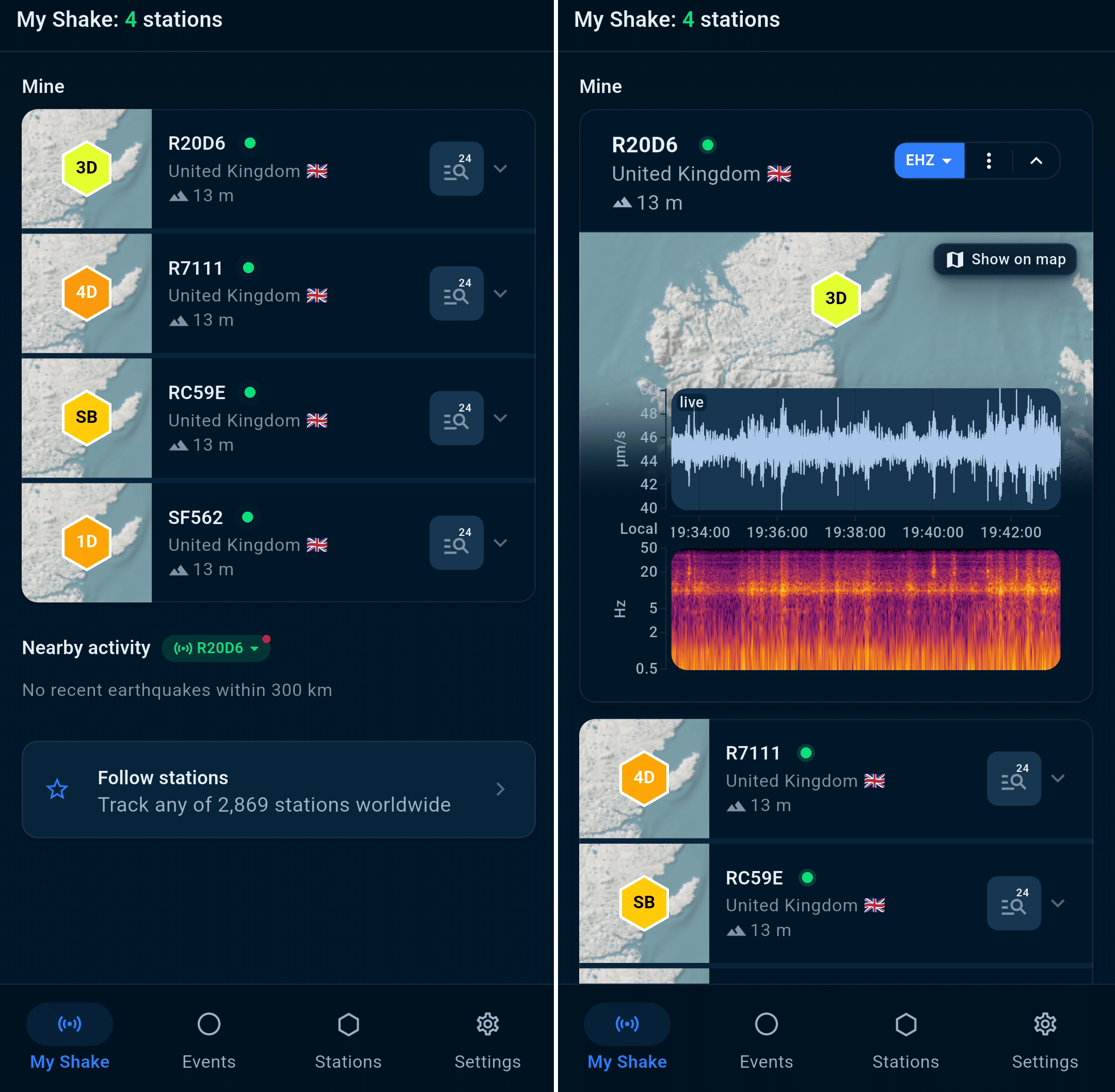
We’ve redesigned the interface with a new color system and a layered design that gives cards and buttons a fresh but familiar feel. None of this changes what our app actually does, but information is easier to find and read, and the data stays front and center (Figure 1).
Whether you open it over morning coffee or in the middle of the night because something just rattled the windows, we want you to reach the data faster.
Built for tablets and larger mobile devices
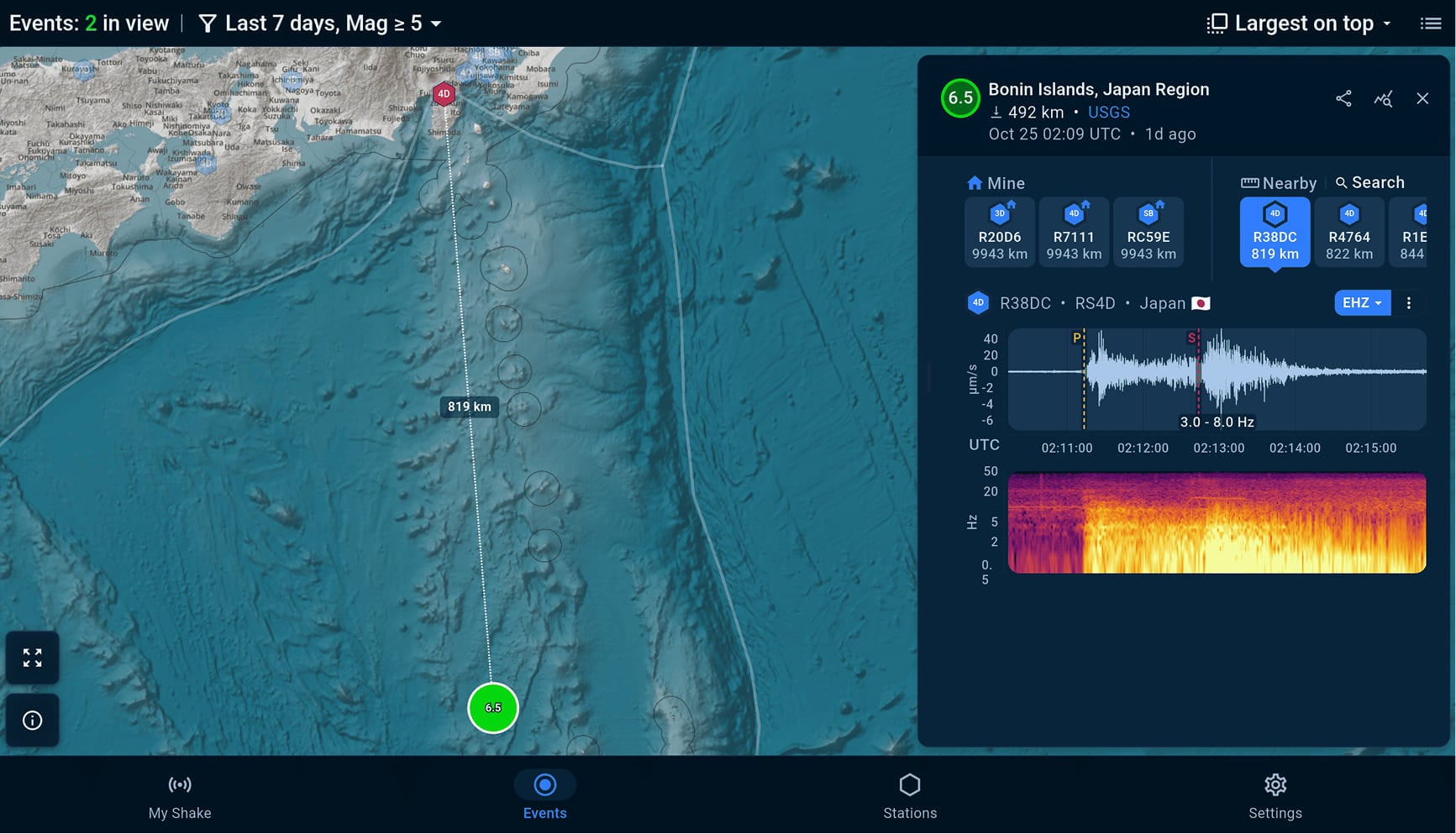
The app now has a proper tablet layout on both Android and iOS, and it works both in portrait and landscape. We used all the extra space: station and event lists are now full, sortable tables, and on the Events page the map, station details, and live recording sit side by side, so you don’t have to scroll or split your attention between them (Figures 2 and 3).
If you’ve been running the phone app stretched across an iPad, or wished you could take your desk dashboard with you on the go, this is for you.
Watch earthquake waves live on your screen
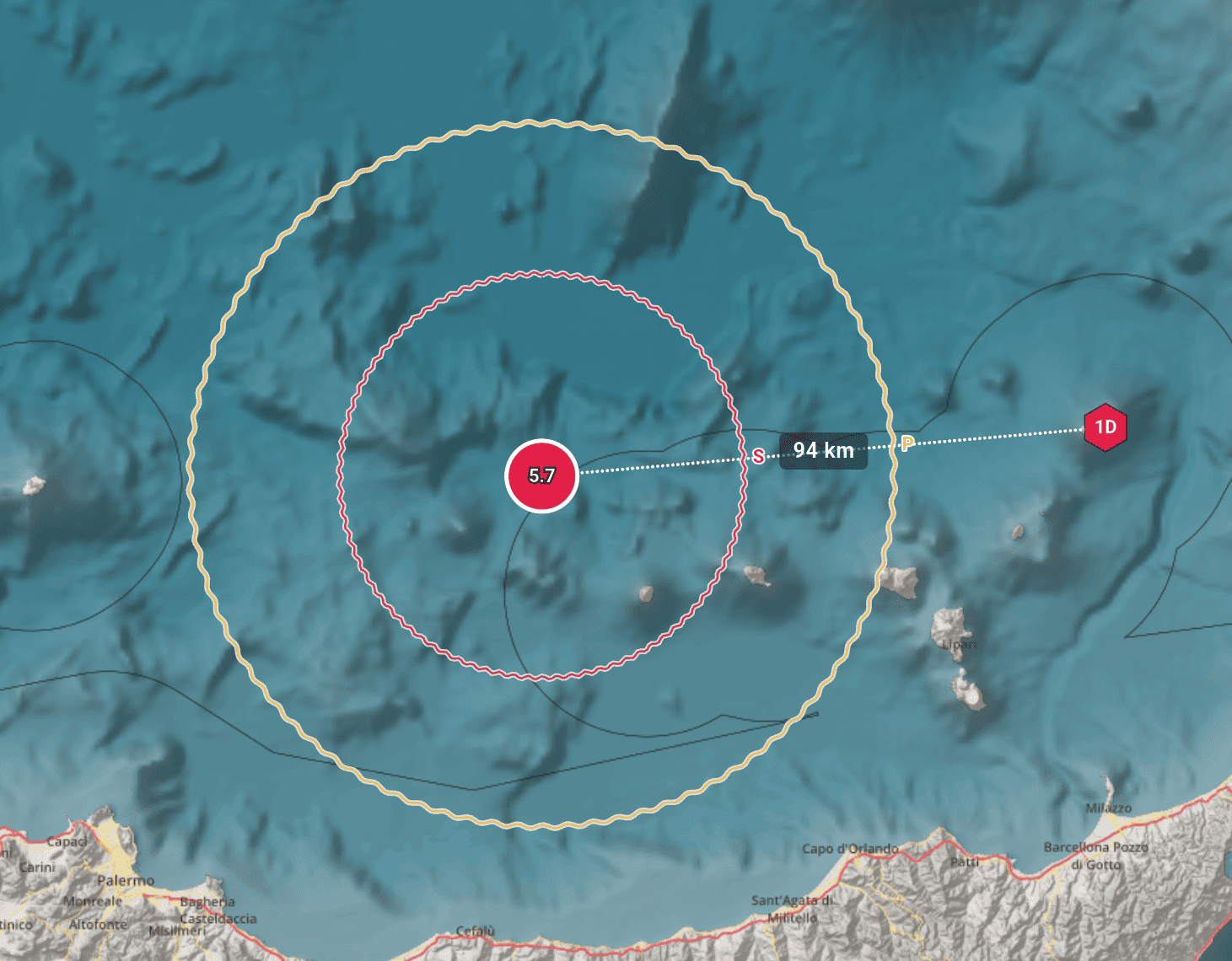
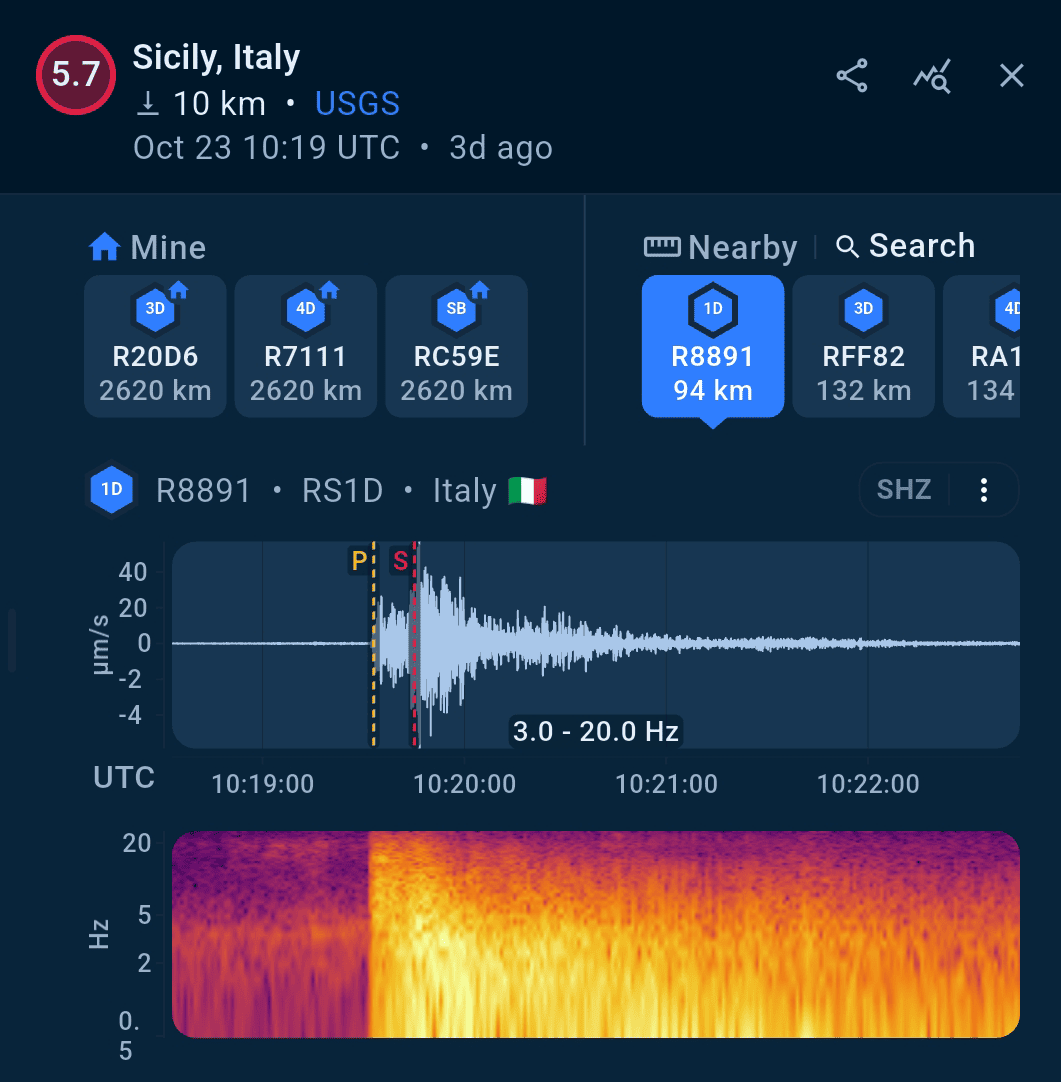
This is the feature our team is proudest of. Open any recent earthquake and the map now animates the P and S waves spreading out from the epicenter, at the speeds those waves really travel through the Earth, until each one reaches the station you’re looking at (Figure 4). Knowing an earthquake happened a number of km away is always useful, but watching its waves cross that distance on your screen, live, is a different experience.
In the waveform view, the same phases are marked at the exact moment they arrived at that station (Figure 5).
For events still unfolding, a live countdown shows when the next wave will arrive. That’s handy for following a recent event as it happens, and just as useful for taking a closer look at anything from the past week. You can also switch between UTC and your local time, so you can see exactly when an event happened on your clock without doing time zone math.
Faster, smoother, steadier
We also spent a lot of time on stability and speed. Data loads faster, and the app should feel more reliable day to day, especially where it used to be slow or behave oddly. You can’t really show that in a screenshot, but you’ll notice it as soon as you open it.
There’s more to find out
We haven’t covered everything here, or this post would run far too long. Here’s a preview: there are now saved, named event filters; a redesigned Stations map that colors stations by live ground motion across the whole network; distance-based information about activity near the stations you follow, and more! Enjoy finding your own favorites.


Get the ShakeNet Mobile App